A volume that belongs to each app.
Keep a call clear while music stays in the background. Adjust volume and mute independently, without chasing controls across windows.
 SoundOrbit
A little space in your menu bar. A lot more control.
Turn one app down. Send another to your headphones. Make your music sound the way you like. All from one quiet corner of your Mac.
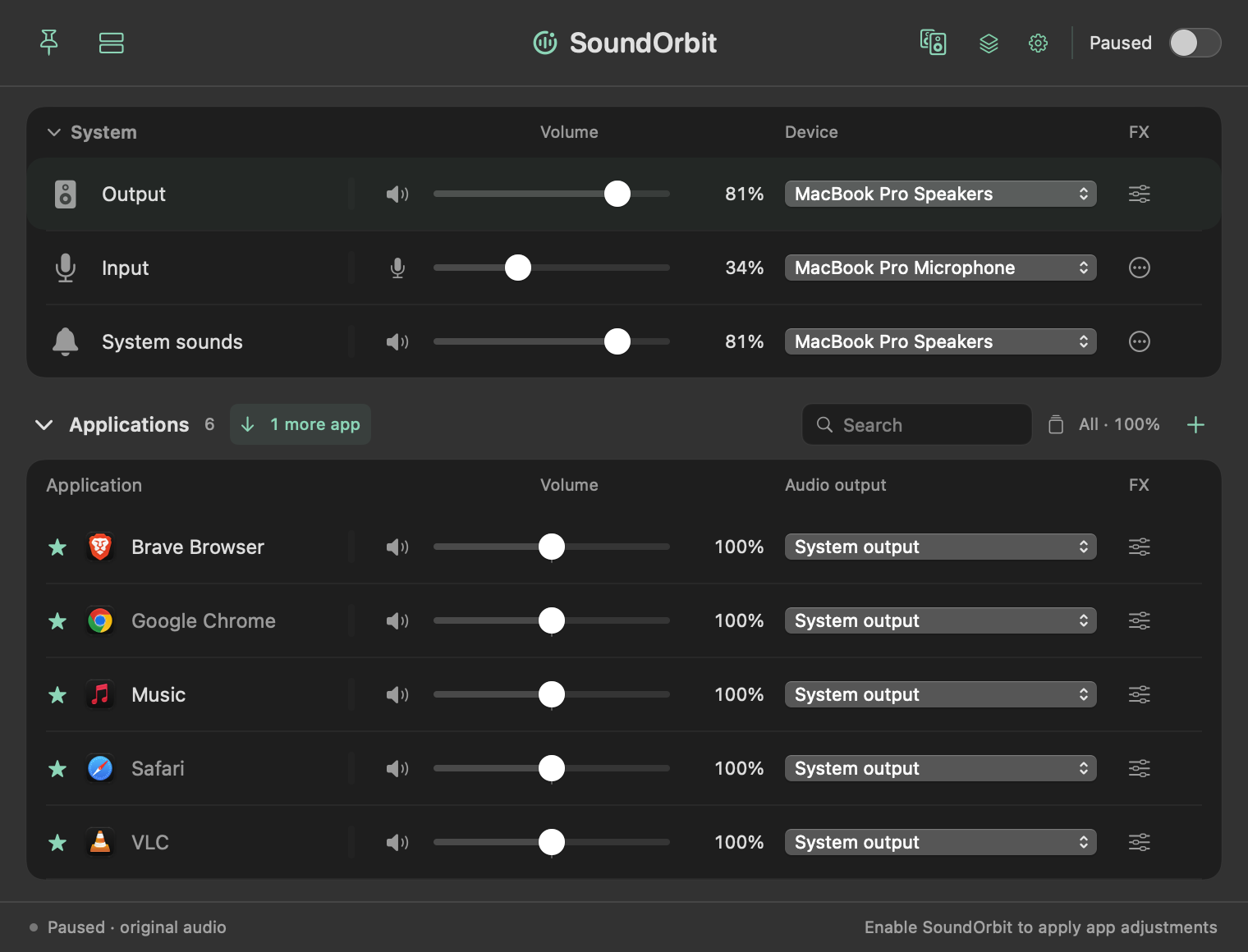
A real look at the mixer. Your apps, your devices, your balance.
Independent volume for every app
Your choice of audio output
Processing on your Mac
Small adjustments. A better everyday.
Keep a call clear while music stays in the background. Adjust volume and mute independently, without chasing controls across windows.
Choose headphones, speakers or an audio interface for each app. Save preferred devices and keep hidden outputs out of your way.
Shape your sound with ten-band EQ, headphone correction and Audio Unit effects. Save configurations for work, music and everything in between.
AirPlay multiroom
Send your Mac’s audio to multiple compatible AirPlay receivers. Your app volumes and effects stay in the mix, even after you close the panel.
Designed for listening. AirPlay adds delay, so calls and video are better on a local output. Receiver compatibility depends on macOS and your devices.
Open the mixer from the menu bar. Drag its header to keep it nearby. Unpin it to put it back. Familiar Mac gestures, with less friction.
Before your first listen
Audio is processed in memory on your Mac and is not saved as a recording. AirPlay sends audio to the receivers you choose over the local network. Downloading a headphone profile fetches that profile from the public AutoEq catalog.
The core mixer works without a separate driver on supported macOS versions. Making processed output groups available directly to other apps requires the optional Sonora Groups component. Microphone level metering and public groups also need the relevant macOS permission.
The current development build targets Apple Silicon and macOS 14.2 or later. It has been tested on macOS 27; other supported versions still need validation before release. The interface follows your Mac’s language preferences, with English and Italian available.
SoundOrbit is being prepared for release. Public downloads, pricing and checkout are not active in this preview. A signed and notarized distribution will follow Apple Developer enrollment and final testing.